Facebook requires a Page Access Token if you want to use the data from your Facebook page, customize it and embed it on your website through SociableKIT.
Why create a page access token?
For example, in SociableKIT Facebook Page Events Widget, a page access token is required if you want your feed to update every hour, display past events, and more useful features.
IMPORTANT: For the Facebook page events widget, if you will use a page access token, your Facebook page must be the creator or a co-host of an event that you want to display. Learn more about the rules here: With Token vs No Token
How to get a Facebook page access token? Follow the steps below. This will work only if you are an admin of the Facebook page you’re trying to get data from.
Step-by-Step Guide
1. Register as a developer. Click the “Get Started” option or go to this link https://developers.facebook.com/async/registration/ Follow the registration to create a Meta for Developers account.
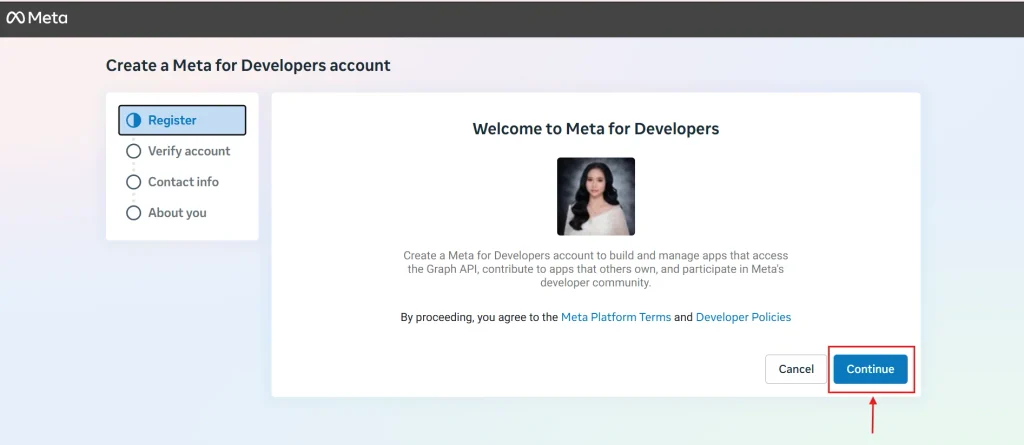
2. Once the registration is done, you will be redirected to the create a new app page or go to https://developers.facebook.com/apps/ and click the Create App button on the upper right.
Note: Previously created apps or older apps do not work anymore.
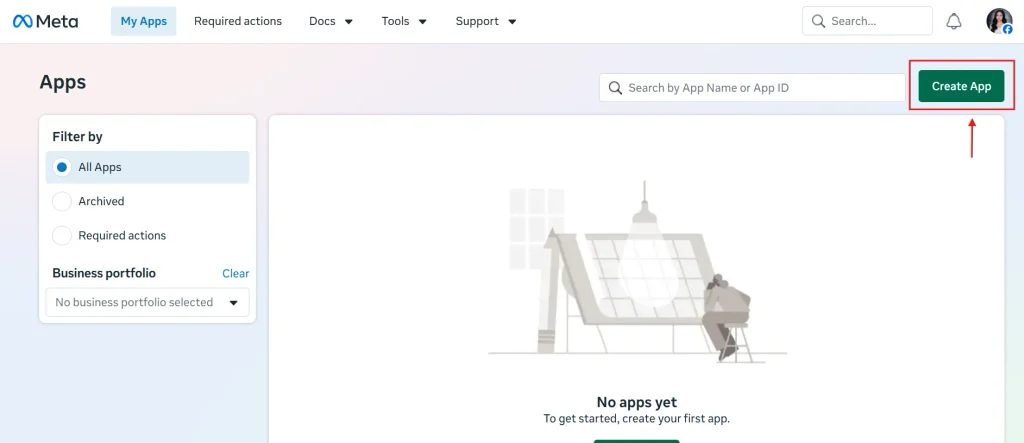
3. Enter your App name and email. Click Create App.
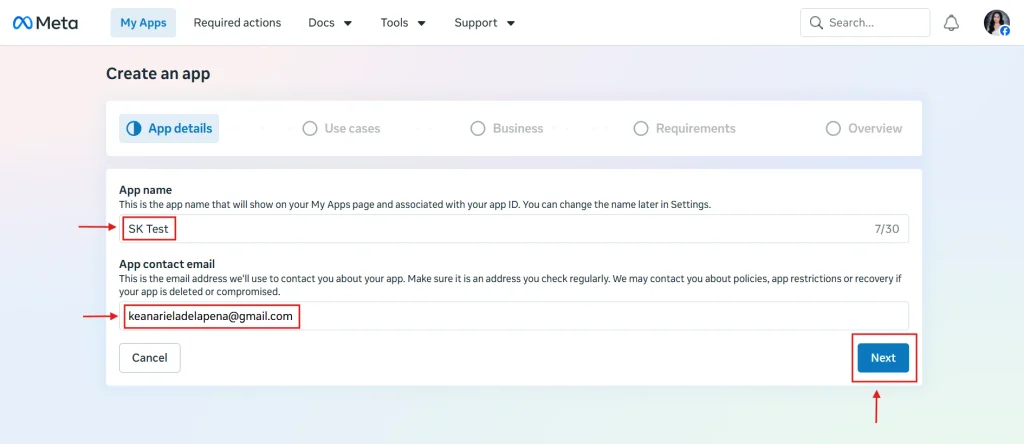
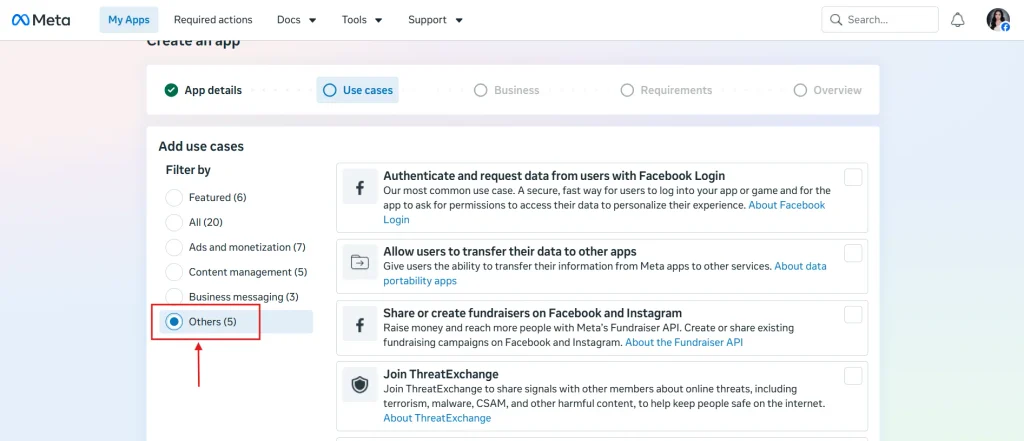
4. Select Others at the left side corner of the page.
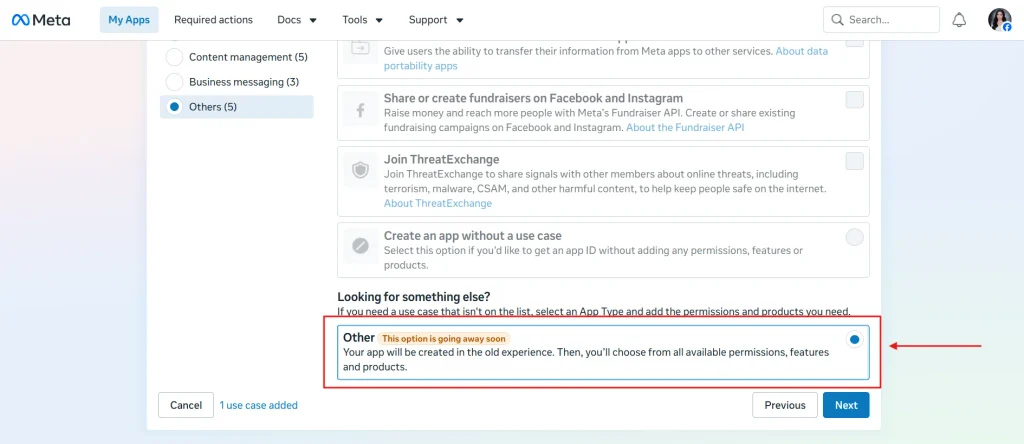
5. Select Others at the bottom then click Next.
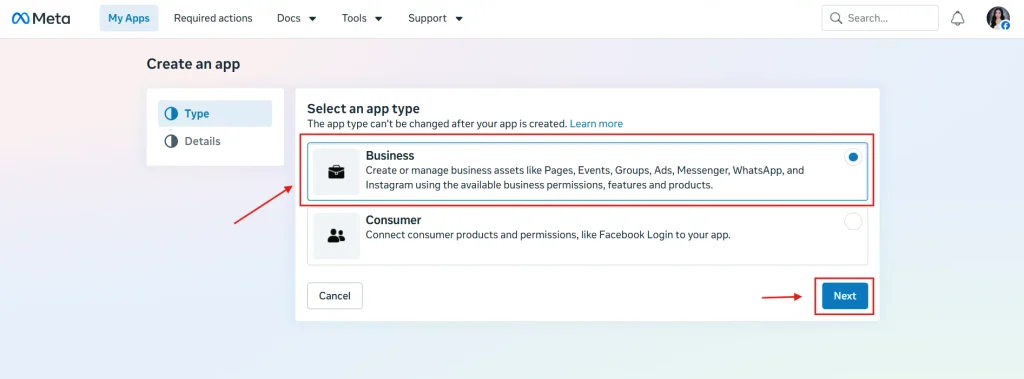
6. Select Business then click Next.
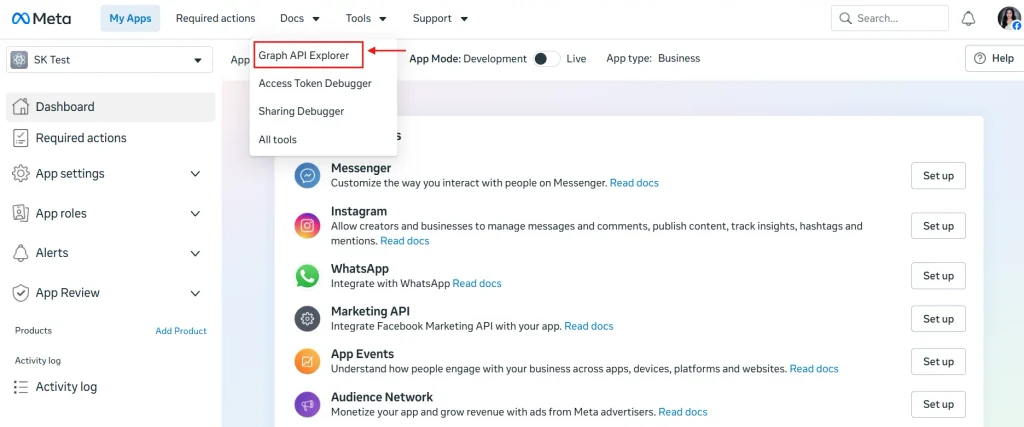
7. Once the app is created. Hover on Tools and select Graph API Explorer or Go to this link: https://developers.facebook.com/tools/explorer/
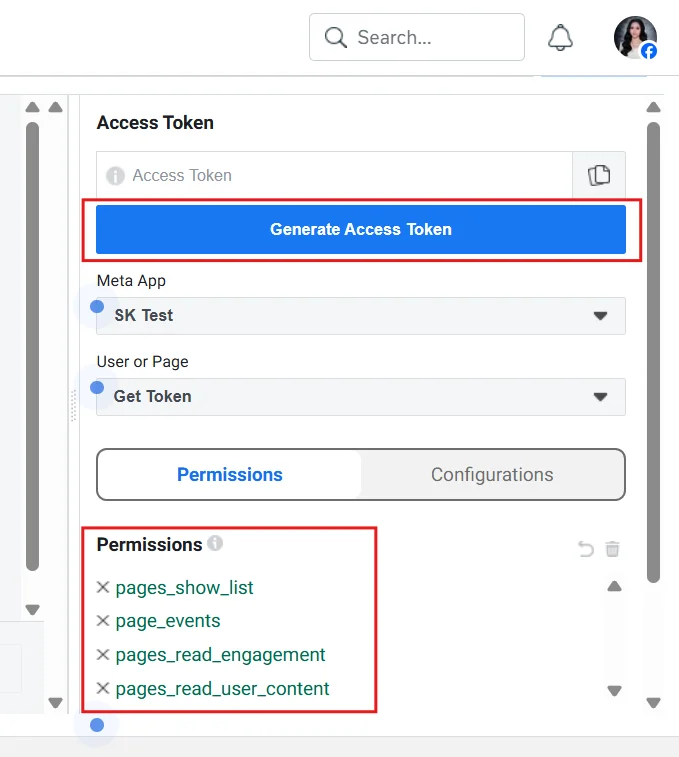
8. Select your page, then add these permissions:
pages_show_list
page_events
pages_read_engagement
pages_read_user_content
Once you added the permissions, click Generate Access Token.
8. Confirm your account. Click Continue.

9. Choose your page and click Continue.

Click Save then Got it.

10. Extend the validity or expiration of your token by following our tutorial here: https://www.sociablekit.com/how-to-extend-the-page-access-token/
11. Go back to the SociableKIT dashboard. Edit your Facebook page events widget. Paste the token in the “Page Access Token” field.
12. Click the Save Changes button.

Using the page access token, you can also make an event from another Facebook page appear on your events feed. But your page needs to be a co-host of that event first. Follow this tutorial if you want to be an event co-host.
Important notes
Facebook said there is a “page access token that never expires” and this is true only if:
1. You did not change your password.
2. Your account was not affected by the recent Facebook security issues.
If you think your events feed is not syncing correctly, you need to re-enter your “page access token” so that your event images will look better, it will update every hour and it will show the past events.
Please follow our tutorial above carefully.
Let me know if you need help doing the steps above. I can walk you through each step. Just send an email to support@sociablekit.com and with the subject: Help – Facebook Page Access Token
There are other ways to contact our team. See this page.
Want more tips?
Sign up for our weekly newsletter for great tips and ideas to make your project better. Stay updated with the latest trends and advice by signing up here.
This Should Help!
Adding a Facebook page access token allows your Facebook page events widget to sync every hour. This tutorial allows you to create a page access token with a detailed step-by-step guide online.
We hope you find this guide useful. Share it with friends who might need it!
Comments
40 responses to “How to get a Facebook page access token in 2026? Step-by-Step Guide!”
Hello, I am trying to follow the tutorial, but it seems like the converter is not working currently. Is there any other way how to get unlimited token for now? Thanks!
Hi Tomas, thanks for your comment! I’m unable to replicate the issue. Would you send me via email the extended access token you were able to retrieve? My email address is mike@sociablekit.com
Hi, The converter is also not working for me. I get the following error:
Warning: file_get_contents(https://graph.facebook.com/me?access_token=EAAECKEsf4G4BAGQaE4yA1basdfxxxJSUQ2HS7fUllXQj5V1jdZAykykbVMmnJ8kiiVyGTU4Spj6emBFz0mZBRlNtaJwJGhChCquYRSZBb7vmsfl64jhy7QUo54SesKZATXKYa2jDHzQDWedXjWVTbmM4pvtbsai63jgZA16iCDHKb&limit=100&fields=id,username,name,access_token): failed to open stream: HTTP request failed! HTTP/1.1 400 Bad Request in /home/xxx/public_html/app/convert_token_to_never_expire.php on line 55
Thanks
Hi Adam, make sure you entered a ‘Page’ type access token, not a ‘User’ type token. Click here to verify if your access token is of ‘Page’ type and if it is still valid. Please follow our tutorial carefully.
hi, I used access token converter,
but all my 2 month’s tokens are “never expires”……
why?…………
Hi @ppclouder, if your token says it never expires, you don’t need to use the access token converter.
I’d like to do it programatically, Is it possible?
Hi Joab, unfortunately, no, it is not possible to do.
When I try to create a Page Access token I get this message:
Invalid Scopes: manage_pages. This message is only shown to developers. Users of your app will ignore these permissions if present. Please read the documentation for valid permissions at: https://developers.facebook.com/docs/facebook-login/permissions
When I go to that page, it says I need a user access token first, but even after trying that, I don’t get the Page Access Token
Hi Ellen, sorry for the late reply. We updated the tutorial above, would you follow it and see if the error is still there?
URL: https://sociablekit.com/app/tokens/facebook_page_app_id_secret.php
does not work. Update your blog!!!
Hi Neo! It is working on our end. Please follow our tutorial carefully.
Hi, I tried to follow this through but unfortunately when I try to create a page access token I get the error:
Invalid Scopes: manage_pages
Any ideas how to move forward?
Hi Isabelle, which step did you encounter this error? Would you send a link to a screenshot?
Hi, I tried to follow this through but unfortunately when I try to create a page access token I get the error:
Invalid Scopes: manage_pages
Any ideas how to move forward?
Hi Deepanshu, did you try to check the checkbox on the page where you enter your app ID and secret?
After the first step in step 9, I get the following error:
“Can’t Load URL: The domain of this URL isn’t included in the app’s domains. To be able to load this URL, add all domains and subdomains of your app to the App Domains field in your app settings”
I’ve googled this for solutions, tried a few things, still not working.
Please advise. Thanks!
Joey
Disregard. Solved.
Hi Joey, would you share how did you solve this issue?
Hello! I am trying to follow the tutorial but it keeps asking for Callback URL. I am not sure where to find this. Do you have a tutorial for this?
PS My website links’ preview are not shown everytime shared on FB. Hoping to hear from you. Thank you!
Hi there, I cannot reproduce the issue. Would you send a screenshot? We’re using the URL in #8 above.
thanks it worked
You’re welcome, Aneru!
Thanks for this wonderful content ,its worked
You’re welcome, Joy. I’m glad it works. Let me know if you have any questions.
Thanks for this information , its helps out ?
You’re welcome, Grace. I’m glad it works. Let me know if you have any questions.
Wow it really work I just it try out …thanks for tho information?
Hi Eben. I’m glad it works on your end. Thank you for letting us know! If you have further concerns or questions, please do not hesitate to contact us here https://www.sociablekit.com/support/
I will like to do it programatically Don’t know If its possible?
Hi Paul. Thank you for reaching out. Kindly tell us more about what you want to achieve programmatically?
Thanks for this information it just work for me
Hi Angel! Thank you. I’m glad to know it works well.
If I can be of assistance, please let me know at https://www.sociablekit.com/support/
I am so happy it just work for me perfectly,thanks for this great content
Hi Scott! Thank you for the positive feedback. I’m glad to know it works perfectly on your end.
If I can be of assistance, please let me know at https://www.sociablekit.com/support/
waw..
Thanks for sharing this on facebook access token
Nice content
Hi Steve! Thanks for the feedback. I’m glad our article helps. If you have any concerns or questions, please let me know at https://www.sociablekit.com/support/
Wow thanks for this information it just work to for me
Hi Chioma! Thanks for viewing our article. I’m glad to know it works for you. If you have any concerns or questions, please let me know at https://www.sociablekit.com/support/