There can be different reasons why you need to find a Facebook event ID. In some cases, you need the Facebook event ID because you want to embed a Facebook page event (One event) on your website. It can also be used when embedding a Facebook group event (One event) on your website.
It might be helpful for your web or mobile application as well. This blog will show you how to find a Facebook event ID, step-by-step!
Step-By-Step Guide
Here’s how to find the Facebook event ID:
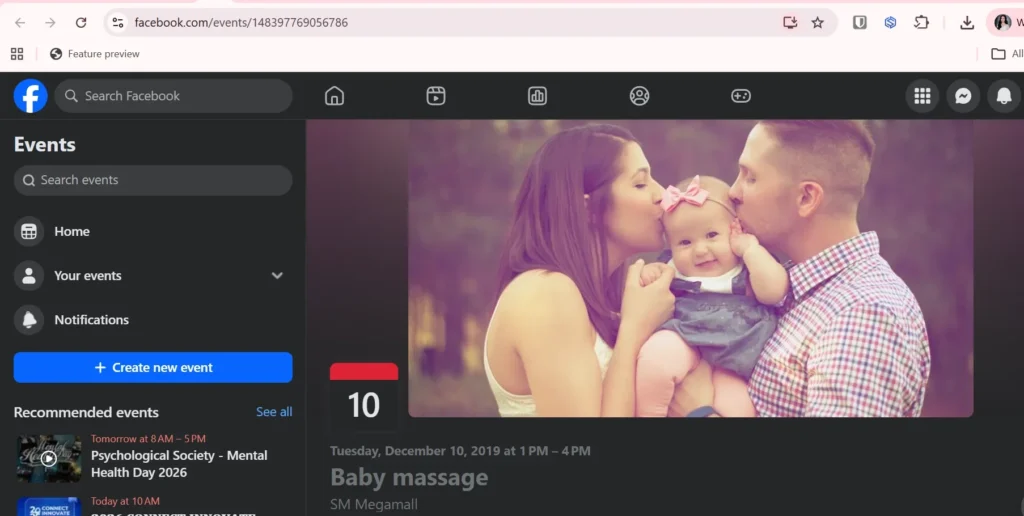
1. Go to Facebook. For example: https://www.facebook.com/events/148397769056786
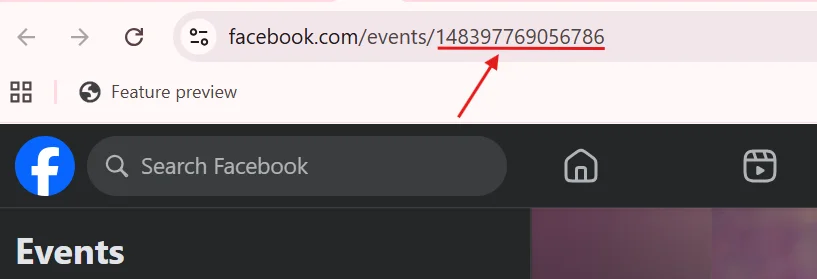
2. On the URL, get the event ID after the ‘https://www.facebook.com/events/’. In this case, the event ID is ‘148397769056786’.
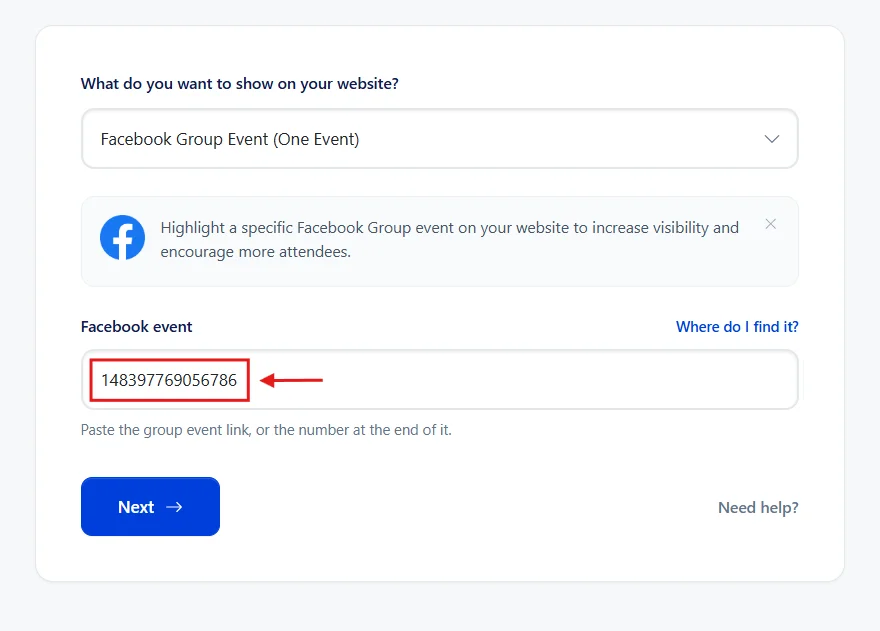
3. Copy the text and paste it to the Facebook event field on your widget creation page.
Add Facebook Event to your website
You can add Facebook Event to your site for free using SociableKIT. Create a Facebook Event widget to boost your website.
Want more tips?
Join our weekly newsletter for top tips and ideas to improve your project. Keep up with new trends and advice by signing up here.
This Should Help!
Adding a Facebook Event feed to your website can make it more popular. This guide helps you easily use Facebook Event online.
We hope this guide is helpful. Share it with friends who might need it!
Comments
2 responses to “How to find Facebook event ID? Step-by-step guide!”
Hello I can’t see the ID on my Facebook event page
Hi Adriel, I saw your Facebook page link is:
https://www.facebook.com/GCMworld/
Your Facebook page ID will be: GCMworld