Connecting your Facebook page to SociableKIT is an important step in creating a Facebook widget. This blog will show you how to connect your Facebook page account, step-by-step!
Why connect your Facebook page to SociableKIT?
There can be different reasons why you need to connect your Facebook page. In most cases, you need to connect it because you want to embed a Facebook widget, such as Facebook page posts, events, or reviews, on your website. Please make sure your Facebook page is public before you start.
Step-by-Step Guide
Here’s how to connect your Facebook page account to SociableKIT:
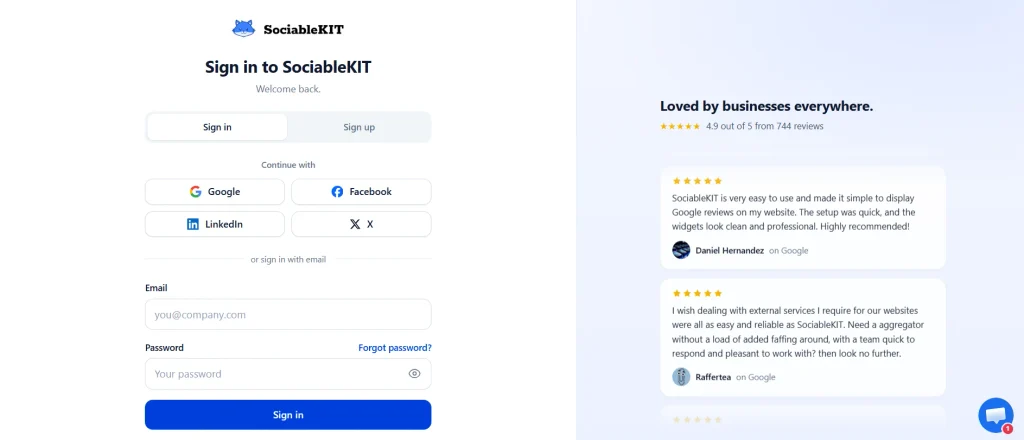
- Login to your SociableKIT account.
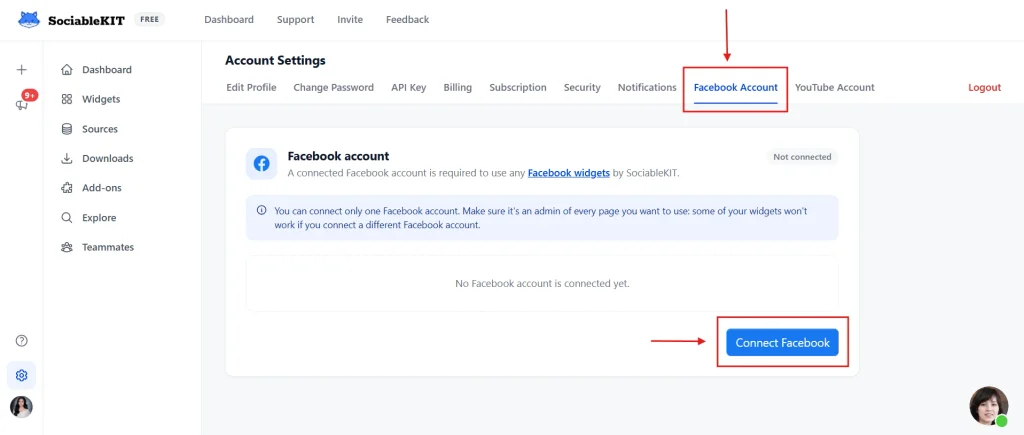
2. Go to Account Settings > Facebook Account section. Click the Connect Facebook button.
2. Click the Continue button.
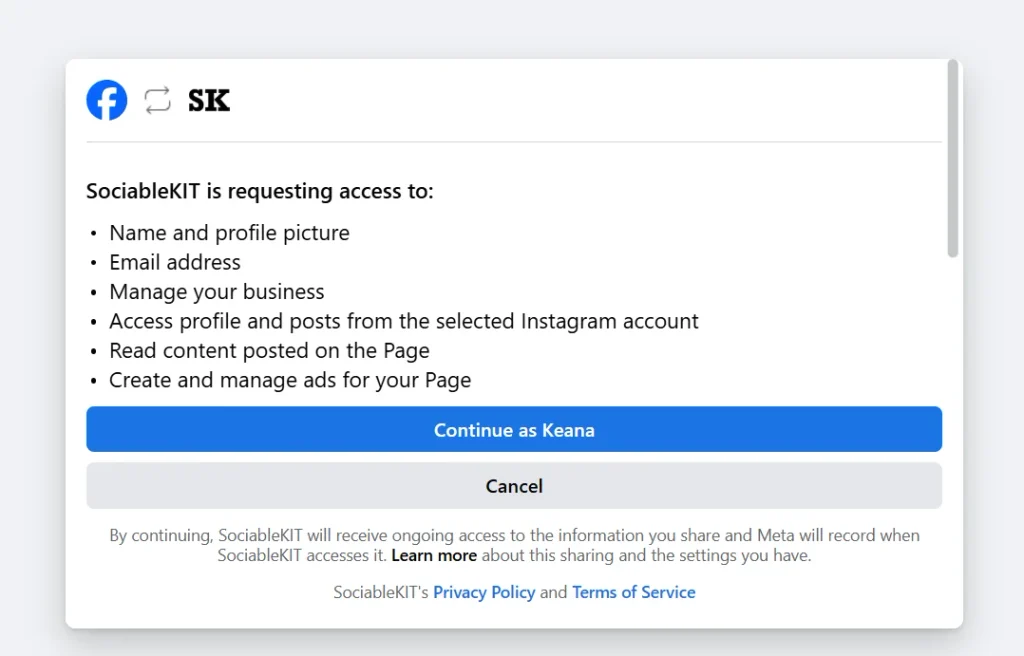
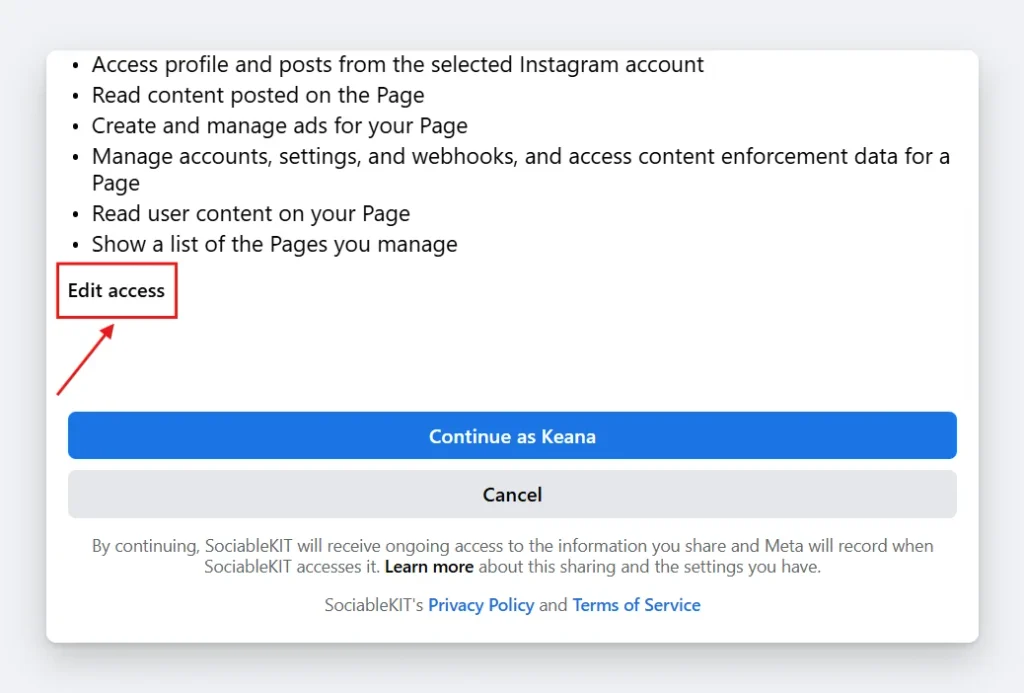
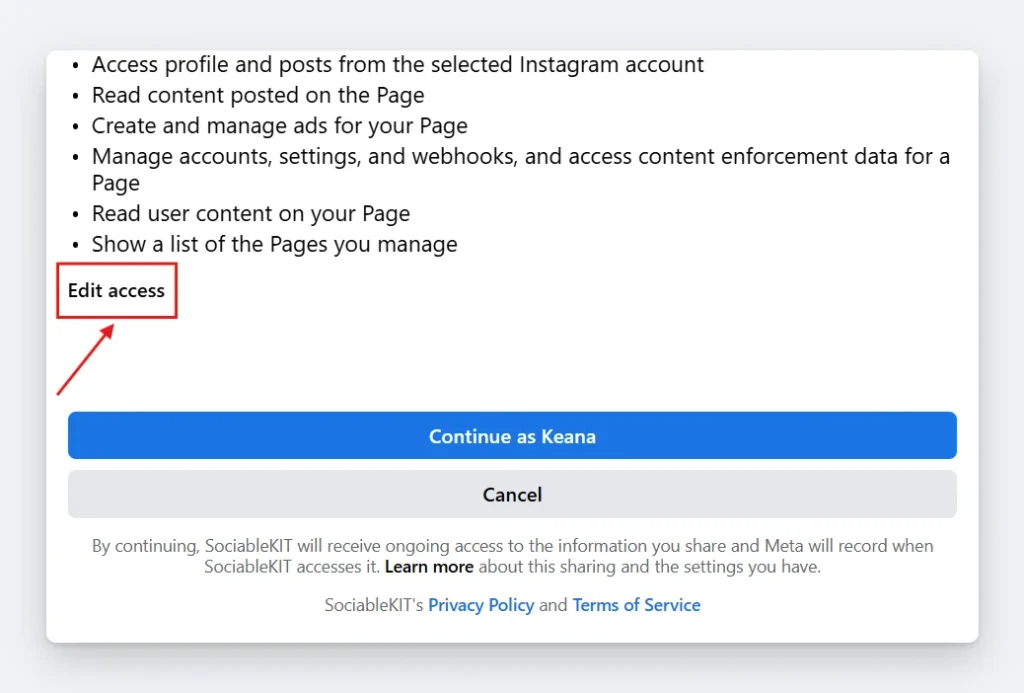
3. Give your permission. If needed, click “Edit access” to select your target Facebook pages.
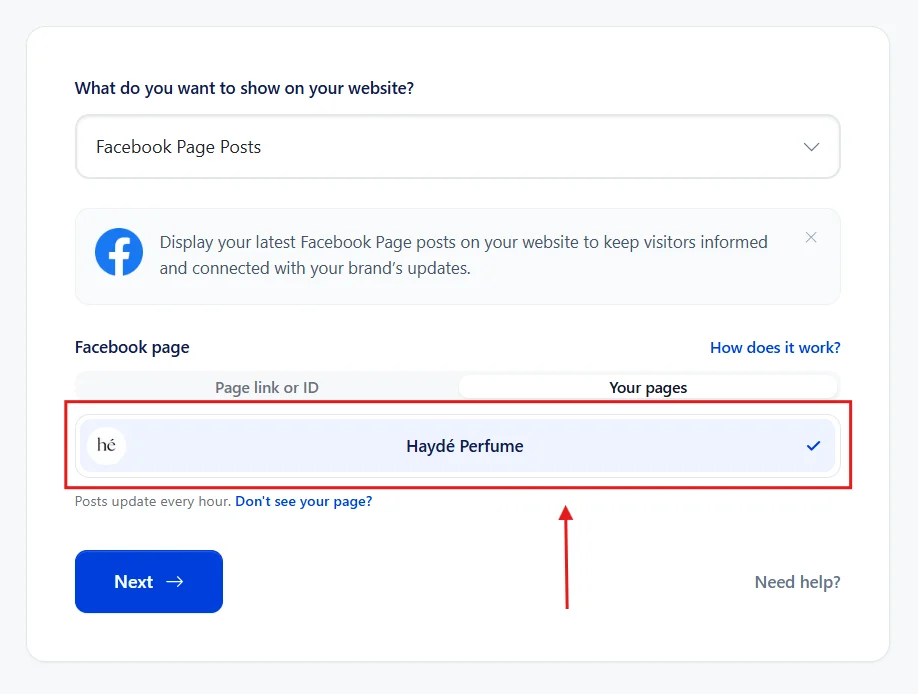
4. Go to your widget creation page, click the Your pages tab under the Facebook page field, select your Facebook page, then click Next.
5. Done! Your Facebook page is now connected, and you’re all set to start using your Facebook widget.
Please note: You can connect only one Facebook account. Please ensure the connected Facebook account is an admin of all the pages you want to use. Some of your widgets will not work if you connect different Facebook accounts.
How to add a missing Facebook page
If you cannot see one of your Facebook pages on SociableKIT, follow the steps below:
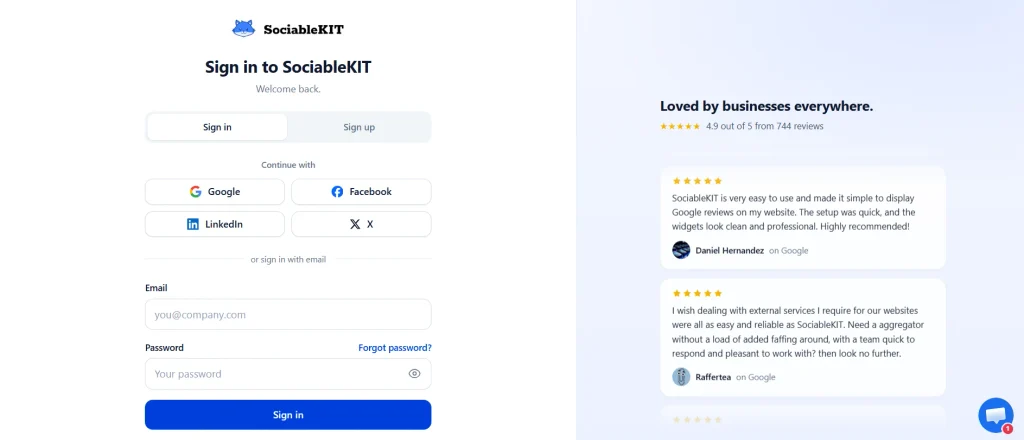
- Login to your SociableKIT account.
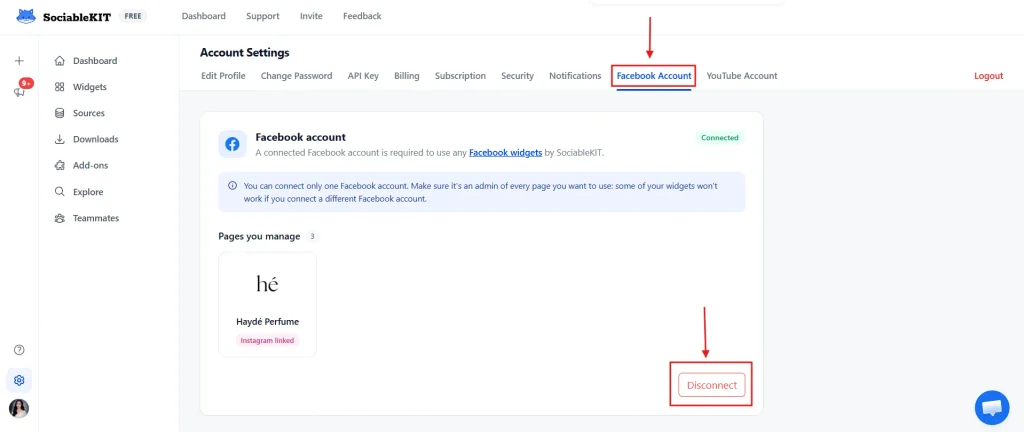
2. Go to “Account” > “Connect Facebook” section then disconnect and reconnect your Facebook account.
3. You will be redirected to Facebook, click the “Edit access” button.
4. Select the missing or select the Facebook pages you want to connect to SociableKIT.
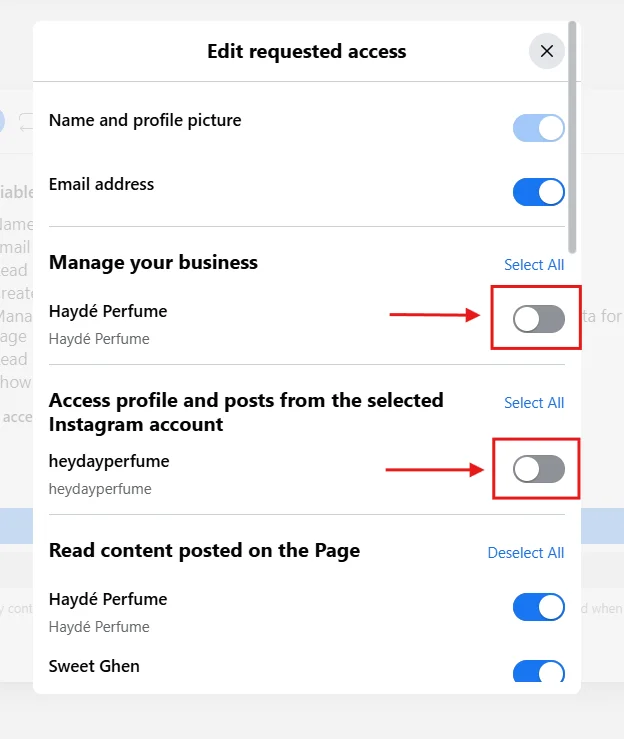
5. Done! Your missing Facebook page is now connected, and you’re all set to use it in your SociableKIT widget.
That’s it! We hope you found this page helpful. Thank you for reading our tutorial about how to connect your Facebook page to SociableKIT! Please share this post with someone who might need it.
Add Facebook feeds to your website
Did you know you can add Facebook content to your website for FREE? SociableKIT allows you to add Facebook feeds to your website. Create a widget here.
Want more?
For more valuable tips and tricks, be sure to subscribe to our weekly newsletter here. Stay updated with the latest insights and strategies to excel on your related project!
Hope it helps!
Connecting your Facebook page is the key to unlocking your Facebook widgets. By following the simple steps outlined in this guide, you can easily connect your pages and take full advantage of features to boost your online presence.
We hope this tutorial has been informative and helpful in your journey. Feel free to share this guide with anyone who might find it useful.