In this article, we will explore why finding your Vimeo API Key matters, look at its various use cases, and provide a simple step-by-step guide to generating it.
Your Vimeo API Key is a unique access token that lets you connect your Vimeo account to your website or application and display your Vimeo Channel content seamlessly.
What is the Vimeo API?
The Vimeo API lets other tools connect to your Vimeo account and pull in your videos and channel details. To use it, you create an app on the Vimeo developer site and generate an access token, which acts as your Vimeo API Key. Paste that key into the API Key field of your widget, and your Vimeo Channel will be ready to display on your website.
Step-by-step guide
This tutorial will help you find your Vimeo access token. Please follow the steps below.
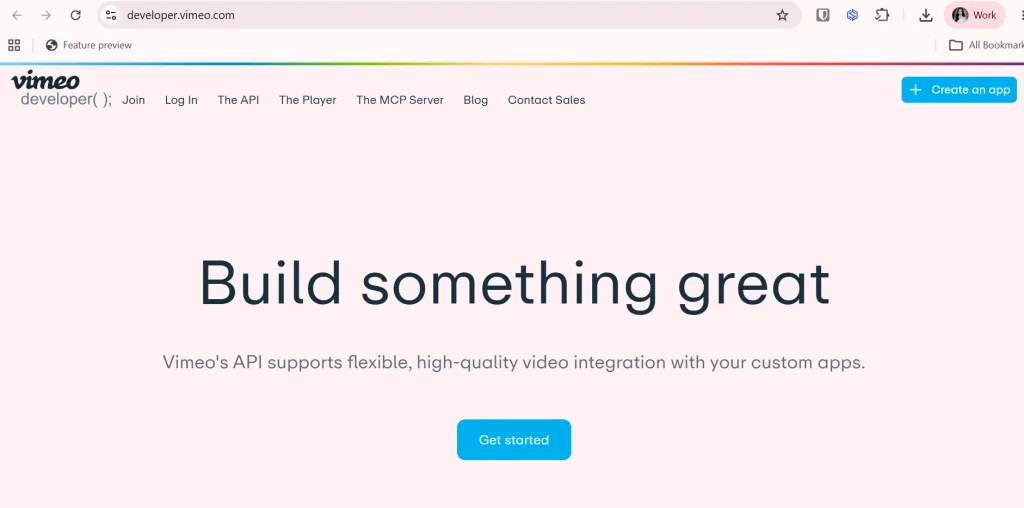
- Go to https://developer.vimeo.com/ and Log in to your account.
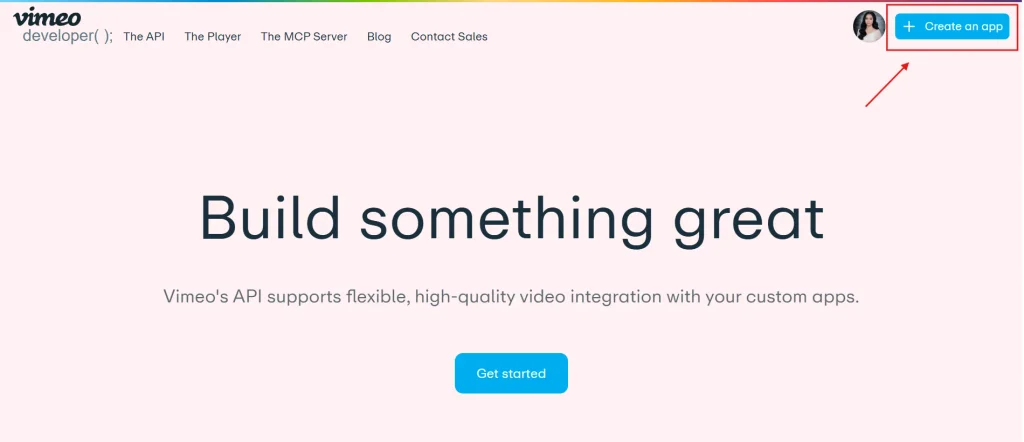
2. Click “Create an app” button.
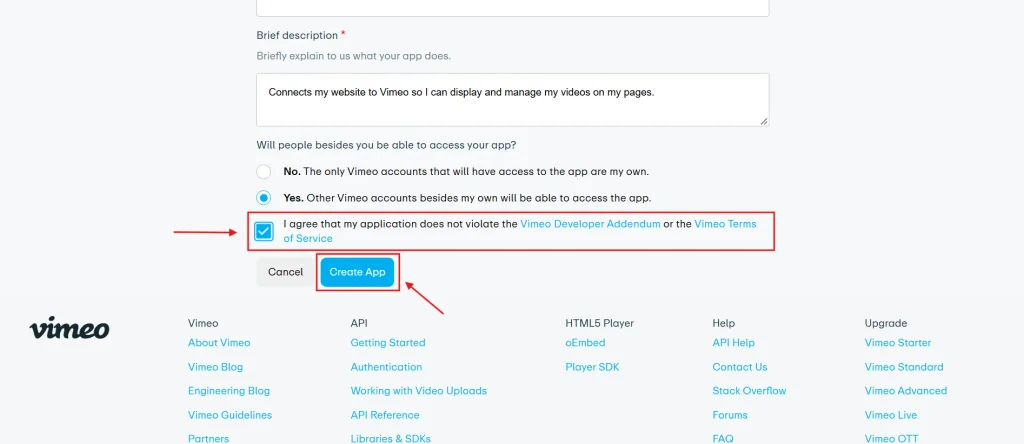
3. Add the name and description of the app and choose “Yes. Other Vimeo accounts besides my own will be able to access the app.”
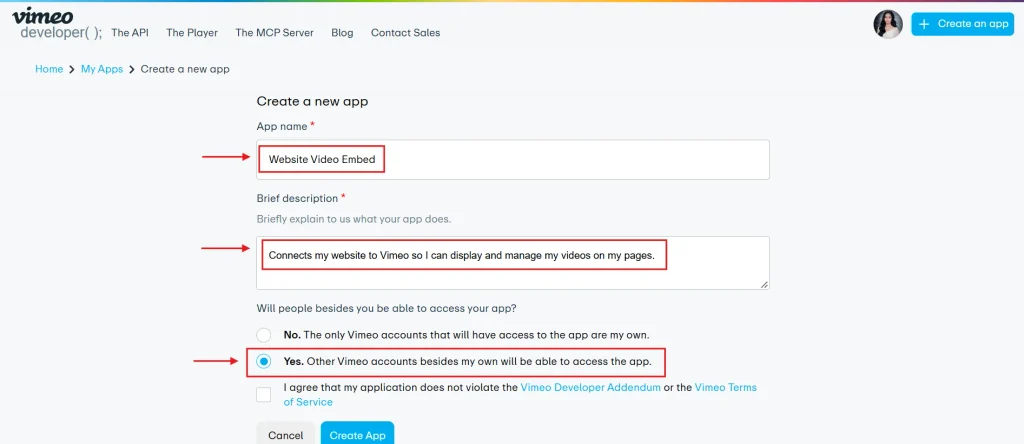
4. Agree with Vimeo API License management or the Vimeo Terms of Service and click Create App button.
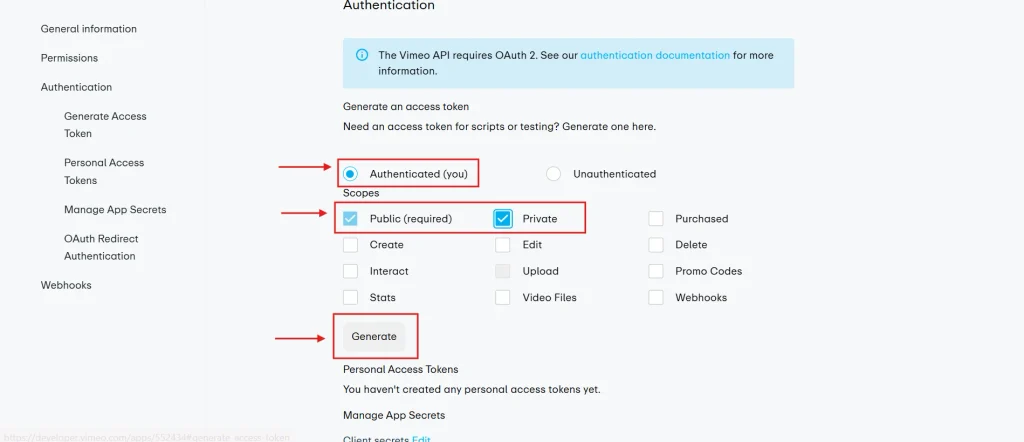
5. Once the app is created, you will be redirected. Choose Authentication. In scopes, choose public and private and click generate.
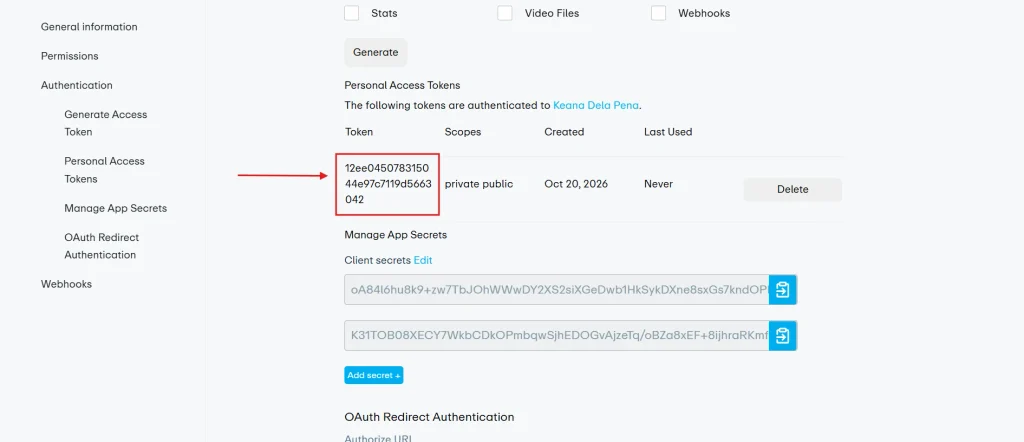
6. Copy the newly Token generated.
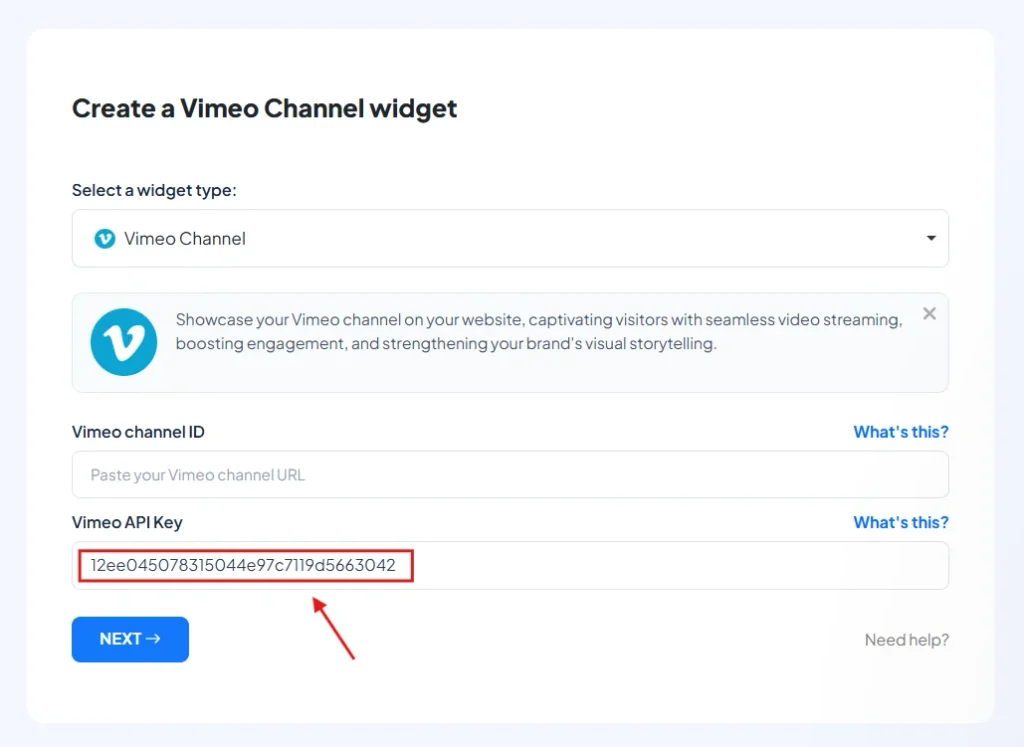
7. All set! Just paste the token into your Vimeo API Key field.
That’s it! We hope you found this page helpful. Thanks for reading our tutorial on how to find your Vimeo Channel ID. Please share it with anyone who might need it.
Add Vimeo Channel to your website
Embed your Vimeo Channel on your website for free with SociableKIT. Create your Vimeo Channel widget in a few clicks and keep your site fresh with your latest videos.
Want more?
Join our weekly newsletter for practical tips and fresh strategies to grow your project. Sign up to stay on top of the latest trends and advice.
This should help!
Get more from your online presence with Vimeo Channel. This guide shows you how to showcase your videos and expand your digital footprint, so building your online reputation takes less effort.
We hope this guide was useful. Feel free to share it with friends and colleagues who could use it too!